
Cloud DMA
A virtual environment on one Windows PC with guided installation and encrypted activation.
In short
A Hyper-V environment on one PC
Consult the current Cloud DMA documentation for integration requirements and setup steps.
Overview
Cloud DMA: the required supporting layer
Check Windows, Hyper-V and the separate purchases before ordering.
Cloud DMA provides a Hyper-V environment on one Windows PC, with guided installation and encrypted service activation. It is the supporting dependency required for the full functionality of Rob Run Cheats on supported builds.
Read the utility’s own Windows, virtualization, memory and connection requirements separately. The exact ROB RUN integration and any additional account or service requirements must come from current setup documentation.
A virtual environment on one PC
The utility runs its Hyper-V environment on the gaming PC and uses an encrypted connection for activation. Its infrastructure role is distinct from the aim tools and visual features described on the ROB RUN product page.
Prepare Windows and virtualization
The utility lists 64-bit Windows 10 or 11 with Hyper-V available, Intel VT-x or AMD-V enabled, at least 8 GB RAM and stable broadband. 16 GB is recommended. HVCI, Core Isolation, TPM and Secure Boot remain on.
Check the integration documentation
Rob Run Cheats requires Cloud DMA for full functionality. Use current documentation to confirm the complete environment and any separate service purchases before setup.
Included
Cloud DMA features
Cloud DMA is required for full ROB RUN functionality. Check its own environment requirements before setup.
- Single-PC setup
- Guided Hyper-V installation
- Encrypted activation
- Lifetime access
Setup
Cloud DMA setup
Check Windows, Hyper-V and the separate purchases before ordering.
Setup
- Layer A
Single-PC setup
Hyper-V runs on the gaming PC and connects to the service for activation.
More products
Pairs well with
Explore the other three products and their setup requirements.
- Rob Run Cheats Player ESP with role filters, Vehicle ESP, loot and bank markers, Base ESP, aim tools and radar for Looty Bay. View details: Rob Run Cheats
- HWID Spoofer Standalone hardware utility. Changes disk, MAC and GPU identifiers with an included trace cleaner. ROB RUN compatibility is not established. View details: HWID Spoofer
- Skin Changer Local weapon finishes, outfits and knife styles in supported titles. ROB RUN compatibility is not established. View details: Skin Changer
FAQ
Questions about this page
Answers for this page. The FAQ page holds the rest.
Blog
Related guides
Explore vehicle ESP and aim controls, check Cloud DMA requirements, and understand what HWID Spoofer and Skin Changer cover.
Check your Windows edition, virtualization, memory and connection before setting up the Cloud DMA environment.
Understand the single PC Cloud DMA listing, its connection requirements and why external hardware setups need separate compatibility checks.
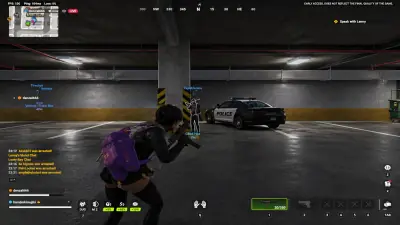
A practical checklist for Steam, Windows security settings, Cloud DMA and menu configuration before using Rob Run Cheats.